










































QR Ordering

The smart way to order food: Restroworks QR code ordering

Let users scan a QR code to access the menu, place orders, and enjoy seamless dining, all integrated with the Restroworks restaurant management system.

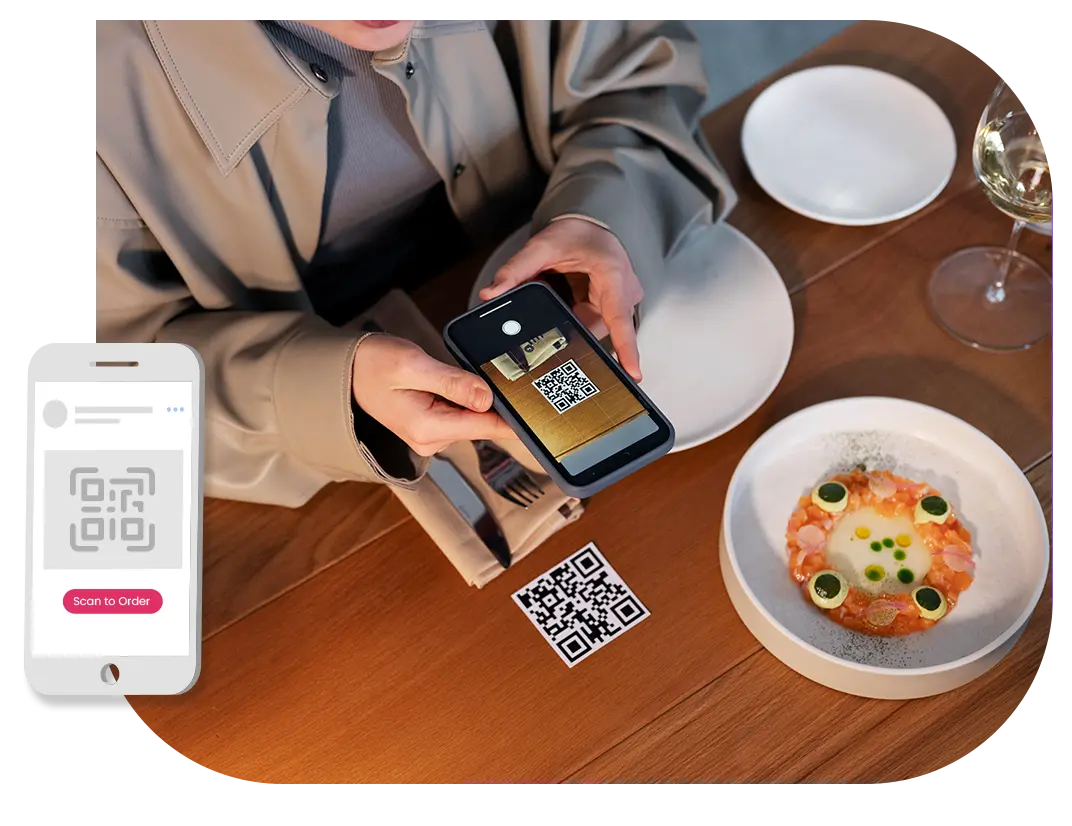
Customer using QR Ordering

Trusted by 20,000+ restaurants globally

Scan, savor, and smile: Discover seamless dining
with our QR ordering solution.

3X

Faster implementation & migration

Herfy Logo
80%

 Cost saving in inventory control

Nandos Logo
20%

Improvement in operational efficiency

Foodquest Logo
2X

Jump in customer

satisfaction

Tresind Logo

Why leading restaurants are moving to Restroworks

Easily sync menus

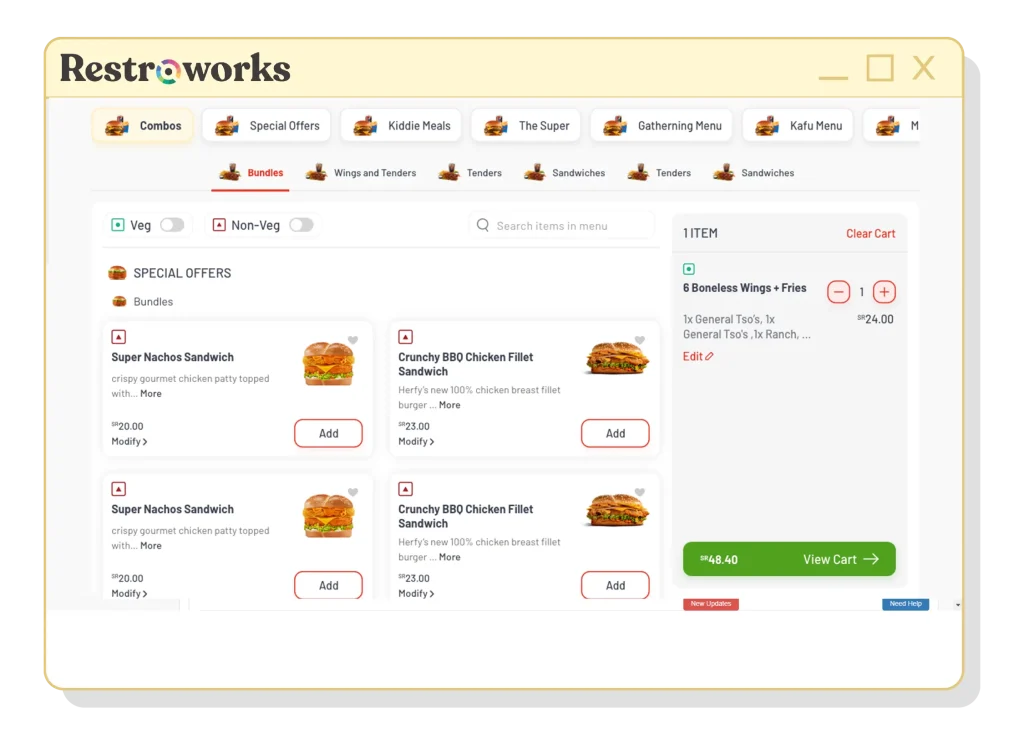
Syncs menu in real-time, lets customers explore new dishes via QR.
View of the menu in Restroworks self ordering kiosk

Real-time updates

Customers receive live order updates, staying informed throughout the process.
View of food delivery partner tracking

Convenient payments

Select diverse payment options for a hassle-free, tailored checkout experience.
View of Payment Options Dashboard of Restroworks

Offer management

Enjoy multiple offer support, ensuring easy rollout of discounts or special deals.
Graphical representation of Offer Management

Dynamic control

Provide your customers with a user-friendly interface with dynamic UI control.
Graphical representation of software solutions

400+ Global integrations at your fingertips.

Ready to transform your restaurant? Request a Restroworks demo!

Industry Rating

Restroworks is the
leading enterprise restaurant management software, empowering businesses to improve efficiency and focus on what matters the most: serving great food.
Illustration of three distinct leaves

Ease of Use

Easy to use, powerful restaurant management software.

(8.9 industry avg)
Source: G2

Quality of Support

Enterprise-grade support, tailored to your business needs.

(8.4 industry avg)   
Source: G2

Ease of Setup

Restroworks is easy to implement and use, even for the most complex restaurant operations.

(8.8 industry avg)   
Source: G2

Google Hangouts Logo

We are proud to have partnered with Restroworks in our digital transformation journey. Restroworks has replaced our legacy POS for 400 stores across Saudi Arabia. We have managed the project with 100% offshore support. This is a commendable achievement of both the teams at Posist and Herfy.

Herfy Logo
Mohammad H.

Former IT director - Herfy

Format Icon

Quick Service
Restaurant

Outlets Icon

450+
Outlets

Coffee Leaves

Multiple language support

Cater to a diverse customer base with multilingual support, enhancing customer satisfaction.

CRM capture

Gather customer data, and improve customer relationships, ultimately driving repeat business.

Enhance customer experience

Elevate dining satisfaction by providing seamless and contactless menu browsing.

Seamless integration with POS

Enhance efficiency by automatically transferring orders to restaurant staff, for faster service.

Lower order processing

Spread more smiles with quicker order processing, and lesser wait time for your customers.

Restroworks has a wide range of additional
capabilities, designed to meet your every need.

Kitchen Display system in a restaurant

Anti-theft

Don't let losses drain your flavor: Safeguard your success with our anti-theft app!

Restaurant Staff inspecting the inventory manually

Inventory Management

Enhance your inventory control, reduce waste and boost profits through real-time insights.

Restaurant staff holding a tablet

Cockpit app

Your restaurant's pulse, in the palm of your hand: the cockpit app for mobile analytics.

Frequently Asked Questions

What is a QR code ordering system?

A QR code ordering system enables customers to place orders by scanning a QR code, accessing a digital menu, and completing the order online, eliminating the need for physical menus or contact with staff.

How does a QR code ordering system work?

A QR code ordering works by allowing customers to scan a QR code using their mobile device, which directs them to a digital menu. From there, customers can browse the menu, select items, customize their order, and proceed to complete the order and make payment online.

What are the benefits of using a QR code ordering system?

Using a QR code ordering system offers benefits such as contactless ordering, improved efficiency, convenience for customers, and reduced physical interactions, promoting safety and enhancing the overall dining experience.

What features should I look for in a QR code ordering system?

When choosing a QR code ordering consider features like mobile compatibility, seamless QR code generation, intuitive menu browsing, customization options, and secure payment integration.

Can a QR code ordering system help improve customer experience and satisfaction?

Yes, a QR code ordering can significantly improve customer experience and satisfaction. It enables customers to browse menus at their own pace, customize orders easily, and conveniently make payments.

How easy is it to set up and use a QR code ordering system?

Setting up and using a QR ordering system is typically straightforward. The system involves generating QR codes, creating a digital menu, and implementing the necessary infrastructure.

How much does a QR code ordering system cost?

The cost of a QR code ordering can vary depending on factors such as features, functionality, and provider. It may involve one-time setup costs or subscription-based pricing models.

What types of restaurants can benefit from a QR code ordering system?

A QR code ordering can benefit a wide range of restaurants, including quick-service restaurants, full-service restaurants, cafes, bars, and even food trucks.

We’re here for you

// Get the button element by its id var button = document.getElementById('hs-cta-trigger-button'); // Add a click event listener to the button button.addEventListener('click', function() { // Your code to be executed when the button is clicked console.log('Button clicked!'); // Call your function or execute any code you want here // For example, you can call a function named myFunction(): // myFunction(); });