

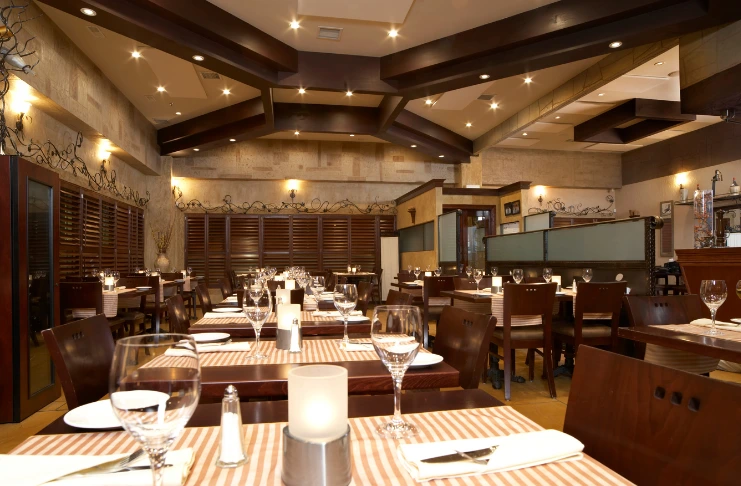
There is no denying that Google is one of the most popular search engines in the world, and using it as a platform to run your restaurant ads is the wisest move for your business. Google has several powerful tools available that small or big restaurant businesses can use for advertising. It also lets you target desired audiences within the UAE or outside it so that your ads are shown to relevant people.
Understanding Google Ads For Restaurants
Google Ads, formerly known as Google AdWords, is a powerful paid advertising platform that allows restaurants to reach potential customers who are actively searching for dining options. This flexible marketing tool enables restaurant owners to promote their business without a fixed minimum cost. You can set a budget that aligns with your restaurant’s financial strategy and start running ads immediately.
Operating on a pay-per-click (PPC) model, Google Ads ensures you only pay when someone clicks on your ad, making it a cost-effective advertising solution. If your ad appears in Google Search but doesn’t receive any clicks, you won’t be charged for impressions. This performance-based approach allows restaurants to maximize their return on investment (ROI) while targeting high-intent customers actively looking for dining experiences.
Benefits Of Google Ads For Restaurants
Google Ads is one of the most effective digital marketing tools for restaurants looking to attract more customers, increase brand visibility, and drive online orders. Google Ads helps restaurants reach the right audience at the right time. Some benefits of using Google Ads for restaurant marketing:
1. Increased Visibility & Higher Search Rankings
With Google Ads, your restaurant can appear at the top of search engine results pages (SERPs), ensuring that potential customers see your business before competitors. This prime placement increases brand awareness and helps attract more foot traffic to your restaurant or boost online orders. There’s been a significant rise in Spanish-language searches for terms like “restaurants near me” and “fast food near me.”
Industry Insight
An article in Designrush gathered a list of the best practices for a successful restaurant digital marketing strategy, and one was on Google ads and their significance:
2. Targeted Audience & Precise Customer Reach
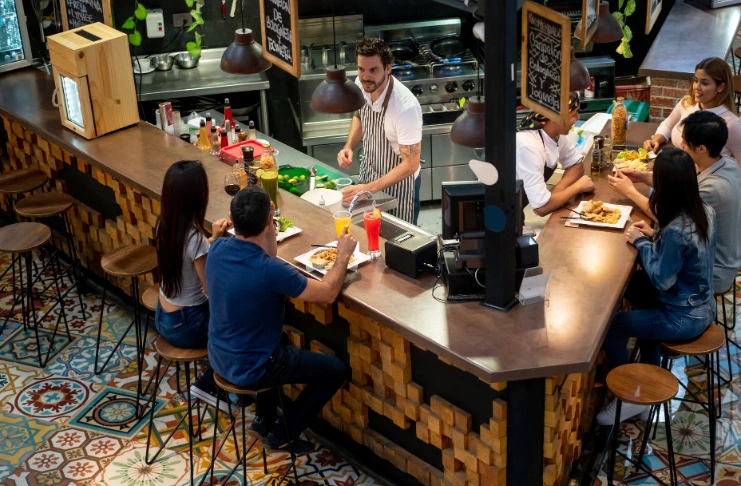
Google Ads allows restaurants to target specific customer segments based on location, interests, search behavior, and demographics. You can focus on locals searching for nearby restaurants, tourists looking for dining options, or food lovers interested in a particular cuisine.
3. Measurable Results & Performance Tracking
One of Google Ads’ biggest advantages is its data-driven approach, which allows restaurant owners to track key performance metrics such as click-through rates (CTR), conversion rates, reservations, and online orders in real time. This enables businesses to analyze return on investment (ROI), optimize campaigns, and make informed marketing decisions based on actual performance data.
4. Flexible & Customizable Budgeting
Google Ads offers custom budgeting options, allowing restaurant owners to set daily or monthly ad spend limits based on their marketing goals. Additionally, pay-per-click (PPC) advertising ensures that you only pay when potential customers engage with your ad, making it a cost-effective solution for restaurants of all sizes.
5. Immediate Impact & Faster Results
Unlike search engine optimization (SEO), which takes time to generate organic traffic, Google Ads delivers instant visibility and immediate results. Once your campaign is live, you can quickly boost website traffic, increase reservations, and enhance online orders. This makes Google Ads an effective short-term and long-term marketing strategy for restaurants looking to drive sales and grow their business.
How To Set Up Google Ads For A Restaurant
Setting up Google Ads for your restaurant is a strategic process that involves multiple steps, from account creation to campaign optimization. Following these steps can effectively attract new customers, increase online orders, and drive more reservations. Here’s a step-by-step guide on how to set up Google Ads for a restaurant.
Step 1: Create A Google Ads Account
To get started with Google Ads, visit ads.google.com and create an account. If you already have a Google account, you can use the same credentials to sign in. Once logged in, Google will guide you through the setup process, allowing you to choose whether you want to run ads for website traffic, phone calls, in-person visits, or online orders. Since restaurants typically focus on driving reservations, takeout, and delivery orders, choosing the right objective from the beginning ensures your campaign is set up for success.
Step 2: Define Your Advertising Goals
Before launching your campaign, you must define what you want to achieve with Google Ads. A well-defined goal will help you choose the right campaign type, targeting options, and budget strategy. Some common restaurant advertising goals include:
- Increase reservations and table bookings – Target users searching for dining options in your area and encourage them to book a table at your restaurant.
- Promote online ordering or delivery – If your restaurant offers takeout or food delivery services, create ad campaigns that direct users to your online ordering system.
- Drive traffic to your restaurant website – Increase visits to your website, where potential customers can view your menu, check restaurant hours, and explore special promotions.
Once you have a clear goal, it will be easier to structure your ad campaign for maximum effectiveness.
Step 3: Conduct Keyword Research
Keyword research is one of the most critical steps in running a successful Google Ads campaign. The right keywords ensure your ads appear when potential customers search for restaurant-related terms.
- Use Google Keyword Planner to find highly relevant, high-traffic keywords that match your restaurant’s offerings.
- Focus on search intent; the keywords should align with what users seek. For example:
- High-intent keywords: “best Italian restaurant near me,” “Mexican food delivery,” “sushi restaurant open now.”
- Low-intent keywords: “how to cook pasta,” “history of French cuisine” (these may not convert into actual visits or orders).
- Utilize long-tail keywords (more specific phrases) as they have less competition and attract highly targeted customers.
By selecting the right mix of keywords, you can ensure your restaurant ads reach the right audience actively searching for a place to dine or order food from.
Step 4: Choose The Right Campaign Type
Google Ads offers several campaign types, and choosing the right one depends on your restaurant’s marketing goals:
- Search Ads – Text-based ads appear at the top of Google search results when someone searches for a restaurant or food-related query.
- Display Ads – Image-based ads that show up on Google’s partner websites, targeting users who may be interested in dining at your restaurant.
- Local Services Ads – A great option for restaurants focused on attracting local customers, as these ads appear for users searching in your geographic area.
- Performance Max Ads – AI-powered campaigns that automatically optimize ads across Google Search, YouTube, Display, Maps, and Gmail.
- Video Ads (YouTube Ads) – Perfect for restaurants looking to create visually appealing video promotions for branding and engagement. Marketers highly favor YouTube, with 78.8% considering it the most effective platform for video marketing.
Choosing the right campaign type ensures your ads reach potential customers in the most effective way possible.
Step 5: Set Up Targeting & Audience Segments
Google Ads allows you to target specific locations, demographics, and interests to ensure your ads reach the most relevant audience. Key targeting strategies include:
- Location-based targeting – Set up a radius-based targeting system to display ads only to users within a specific distance from your restaurant (e.g., 5 miles around your location). This is ideal for local dine-in and takeout customers.
- Demographic targeting – Narrow your audience based on age, gender, household income, and device type. For example, targeting higher-income consumers may yield better results if your restaurant offers luxury fine dining.
- Custom audiences – Create audience segments based on past website visitors, people who have interacted with your brand, or users similar to your existing customers. This increases the likelihood of conversions.
Setting up precise targeting ensures your ad budget is spent efficiently, reaching only the most relevant customers.
Step 6: Create Compelling Ad Copies & Landing Pages
An ad’s success depends highly on how engaging and persuasive the ad copy and landing page are. To maximize conversions, follow these best practices:
- Write engaging headlines and descriptions – Highlight unique selling points such as “Best Brunch Spot in NYC – Reserve Your Table Now” or “Authentic Italian Pizza – Order Online for 20% Off”.
- Use strong CTAs (Call-to-Actions) – Encourage users to take action with phrases like “Reserve a Table,” “Order Now,” “Get Directions,” or “Call Now.”
- Optimize landing pages for conversions – Ensure that when users click on your ad, they are directed to a relevant and easy-to-navigate landing page with clear CTAs and restaurant details.
- Include visuals & reviews – High-quality food images, customer testimonials, and ratings help build trust and encourage users to visit your restaurant.
A well-optimized ad copy and landing page can significantly improve click-through rates (CTR) and conversion rates.
Step 7: Set Your Budget & Bidding Strategy
Your budget and bidding strategy determine how much you’ll spend on Google Ads and how often your ads appear. Key considerations include:
- Understanding CPC (Cost-Per-Click) & CPM (Cost-Per-Thousand Impressions) – Choose whether you want to pay per click (CPC) or per 1,000 ad views (CPM).
- Automated vs. Manual Bidding –
- Automated Bidding: Google’s AI adjusts bids automatically to maximize conversions.
- Manual Bidding: You control how much you will pay per click.
- Setting a daily budget – Start with a modest budget and increase it based on performance.
A well-planned budget and bidding strategy ensures your restaurant ads run effectively without overspending.
Best Practices For Running Successful Restaurant Ads On Google
Running Google Ads for restaurants is a powerful strategy to attract customers, increase reservations, and boost online orders. However, to ensure maximum return on investment (ROI), you must follow best practices that enhance ad visibility, improve targeting, and drive conversions. Below are the key best practices for running successful restaurant Google Ads campaigns.
1. Optimize For Local SEO & Google My Business

Local visibility is crucial for restaurants. Since most potential customers search for nearby dining options, integrating Google Ads with Local SEO and Google My Business (GMB) can improve ad performance.
- Ensure your Google My Business listing is updated with accurate information, including the restaurant’s name, address, phone number (NAP), business hours, and website link.
- Use location-based keywords in your Google Ads campaigns, such as “best Italian restaurant in Miami” or “Mexican food delivery near me.”
- Link your Google Ads campaign to your Google My Business listing to display essential details within your ads, such as location and customer reviews.
2. Use Ad Extensions For Better Visibility
Ad extensions are additional elements that make your Google Ads more engaging and informative, leading to higher click-through rates (CTR) and conversions. The following ad extensions are particularly beneficial for restaurants:
2.1. Location Extensions (Show Address & Google Maps)
- Location extensions display your restaurant’s address, making it easier for users to find your exact location on Google Maps and get directions.
- These extensions help attract local diners searching for nearby restaurants.
2.2. Call Extensions (Click-to-Call Feature for Reservations)
- Call extensions allow users to call your restaurant directly from the ad with a single click.
- This is particularly useful for restaurants that rely on phone reservations, takeout, or catering services.
2.3. SiteLink Extensions (Links to Menu, Order Page, Reviews, etc.)
- Sitelink extensions let you add additional links to key pages, such as:
- Menu page (so users can check your offerings).
- Online ordering page (to encourage direct takeout or delivery).
- Reservation page (to increase table bookings).
- Customer reviews or testimonials (to build credibility and trust).
3. Leverage Retargeting & Remarketing Ads
Not all users convert the first time they see your ad. Many potential customers may visit your website but leave without making a reservation or placing an order. This is where retargeting and remarketing ads come into play.
3.1 What is Retargeting?
- Retargeting allows you to show ads specifically to people who have previously interacted with your restaurant’s website, social media, or ads.
- Example: If a user viewed your menu but didn’t place an order, a retargeting ad can remind them to complete the purchase.
How to Use Remarketing for Restaurants
- Show personalized ads to past visitors, highlighting special promotions, discounts, or new menu items.
- Use Google Display Network (GDN) retargeting to display visually appealing ads across partner websites.
- Leverage Dynamic Remarketing, which automatically customizes ads based on users’ previous views.
4. Test Different Ad Variations (A/B Testing)
To optimize Google Ads performance, it’s essential to test multiple ad variations and see which ones generate the best results. A/B testing (split testing) allows restaurants to experiment with different ad copies, images, CTAs, and landing pages.
5. Monitor & Adjust Campaigns Regularly
Once your restaurant’s Google Ads are live, the work doesn’t stop there. Regular monitoring and adjustments are crucial to maintaining a high-performing ad campaign.
5.1 Track Performance Metrics:
- Click-Through Rate (CTR): Measures how many people click on your ad after seeing it.
- Conversion Rate: Tracks actions such as table bookings, online orders, or phone calls.
- Cost-Per-Click (CPC): Helps optimize your budget for cost-effective advertising.
- Return on Ad Spend (ROAS): Evaluate how much revenue your ads generate compared to the cost.
5.2 Make Data-Driven Adjustments:
- If an ad is not performing well, try adjusting the headline, keywords, audience targeting, or ad extensions.
- Increase bids for high-performing keywords that generate conversions.
- Use negative keywords to filter out irrelevant searches and prevent wasted ad spend.
5.3 Optimize Based on Customer Behavior:
- If most orders happen during lunch and dinner hours, consider running ads at peak meal times.
- If mobile users convert better than desktop users, adjust bids to prioritize mobile traffic.
Google Ads Campaigns For Restaurants
Advertising on Google Ads is a highly effective way for restaurants to increase brand awareness, drive reservations, and boost online orders. Whether you have a website or a Google My Business (GMB) profile, running targeted Google Ads ensures your restaurant appears in front of the right audience at the right time. Different types of Google Ads campaigns allow you to reach potential customers based on search intent, browsing behavior, and online activity.
1. Search Campaigns: Appear In Google Search Results
Search campaigns help restaurants rank at the top of Google Search when users look for dining options using relevant keywords like “best Italian restaurant” or “top restaurants near me.” By bidding on these keywords, your ad appears when potential customers search for similar businesses, increasing your chances of getting clicks and conversions. There is no minimum bid requirement, allowing restaurants to set a budget that aligns with their marketing goals.
2. Display Campaigns: Engage Customers With Visual Ads
Display ads, also known as image-based ads, allow restaurants to showcase high-quality images of their dishes, promotions, or events. Unlike search ads, these do not rely on keywords; instead, Google places them on relevant partner websites, blogs, and apps based on audience interest and targeting preferences. Display campaigns are ideal for brand awareness and engagement, as visually appealing ads tend to attract more attention from food lovers and potential diners.
3. Universal App Campaigns: Promote Your Restaurant’s Mobile App
If your restaurant has a mobile app for reservations, food delivery, or loyalty programs, Universal App Campaigns (UAC) can help increase downloads. These ads automatically appear across Google Search, Google Play Store, YouTube, and Google’s Display Network, reaching users who are more likely to engage with restaurant apps. This is an excellent strategy for enhancing customer retention and boosting app usage.
Conclusion
Running Google Ads for your restaurant is a highly effective way to attract new customers, boost reservations, and increase online orders. By following a structured approach, including setting up a Google Ads account, defining clear advertising goals, conducting thorough keyword research, selecting the right ad campaign type, and optimizing targeting settings, you can create high-performing ads that deliver results. Crafting compelling ad copies, using strong call-to-actions (CTAs), and ensuring a seamless landing page experience can significantly improve click-through rates (CTR) and conversions.
However, launching ads is just the beginning. To maximize return on investment (ROI), it’s crucial to continuously analyze performance metrics, conduct A/B testing, and refine your strategy based on insights from Google Ads reports and analytics.