

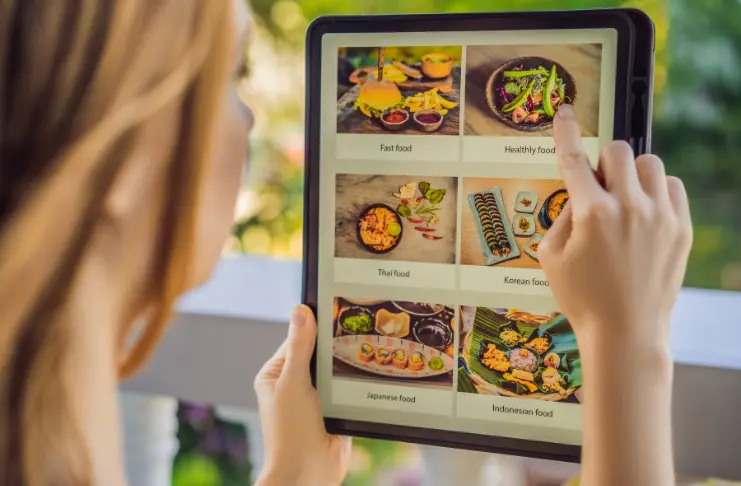
Menus have become a core aspect of guest experience, a direct channel for communication, upselling, and customer engagement. As diners expect real-time accuracy and greater transparency around ingredients and pricing, printed menus struggle to keep pace.
Digital menus through menu boards, apps, and QR codes solve this challenge by allowing instant updates, dynamic visuals, integration with ordering systems, and an interactive ordering experience, while reducing operational costs.
This blog highlights the best restaurant menu app in 2025 to help restaurants evaluate and find the best fit for their operations.
KEY TAKEAWAYS
- Choosing the right digital menu platform impacts both guest experience and operational efficiency.
- QR code menus and tablets speed up ordering while keeping menus accurate across channels.
- POS integration ensures pricing, availability, and inventory remain consistent in real time.
- Each solution offers different strengths, such as design flexibility, analytics, or multi-location scalability, which makes it important to align the app with the key restaurant goals.
- A thoughtfully implemented digital menu can turn everyday orders into actionable insights for smarter decision-making.
Best Restaurant Menu Apps in 2025
The best apps for restaurant menus tie front-of-house to back-of-house efficiency, ensuring consistency across QR codes, kiosks, tablets, and digital boards.
With several providers offering robust solutions, here are the top systems in 2025 that help restaurant businesses align technology with their dining formats and growth objectives.
| Software Tools | Features | Benefits | Pricing |
|---|---|---|---|
| Restroworks | QR code menus, tablet ordering for servers, self-service kiosks, and real-time menu updates. | Ensures seamless multi-channel menu management and offers scalability for multi-location operations. | Custom pricing |
| Menu Tiger | Cloud-based menu creation, QR code menus, digital menu boards, and custom design templates. | Easy-to-use platform for small to medium restaurants with flexible menu updates. | Starting at $17/month |
| NoviSign | Digital signage for interactive menus, media support, touchscreen-ready. | Engaging menu displays, dynamic content, and visual marketing. | Starting at $18/month |
| ScreenCloud | Cloud-based digital signage, menu board app, branding customization. | Centralized control of menus, professional visual layouts, and multi-screen management. | Starting at $20 per screen |
| TouchBistro | iPad POS, digital menus, tableside ordering, customer-facing displays. | Streamlined front-of-house operations, interactive menus for guests, and real-time menu changes. | Starting at $69/month |
1. Restroworks
Restroworks has grown into one of the most widely adopted restaurant technology platforms, used by over 20,000 venues worldwide. It bridges front-of-house and back-of-house operations with modules for POS, inventory, table and kitchen management, analytics, CRM, and more—all accessible through a unified interface.
This integrated approach ensures menu updates, ingredient availability, and pricing sync seamlessly across various digital touchpoints, including POS, tablets, kiosks, and QR code menus, reducing errors, saving time, and boosting profitability.
Key Highlights:
- POS Menu Integration: Any updates to the food menu sync instantly across QR codes, kiosks, tablets, and digital boards to ensure consistency and a frictionless checkout experience.
- QR Code Menus: Guests can scan, order, and pay from their phones, while restaurant owners can update specials or highlight high-margin items in real time.
- Tablet Ordering for Servers: Handheld devices connect directly to POS and kitchen systems, speeding up service and minimizing order errors.
- Self-Service Kiosk Menus: Customers place and customize orders at kiosks, reducing staff load and driving upselling opportunities.
- Centralized Menu Management: With centralized menu management, operators can edit and manage menu items across multiple locations from a single platform.
- Data and Analytics: Track menu performance, sales trends, and customer behavior to guide menu engineering and pricing strategies.
Benefits:
- Consistent menu synchronization across all digital touchpoints.
- Instant menu access and ordering experience
- Flexible ordering formats that fit quick-service, casual, or enterprise setups.
- Scalable architecture suitable for multi-location groups.
- Analytics dashboards provide visibility into menu performance, sales trends, and customer behavior.
Pricing: Customized pricing plans based on restaurant requirements
2. Menu Tiger
Menu Tiger offers a cost-efficient, all-in-one digital menu solution, such as QR code solutions built for operators looking to simplify front-of-house tech. The QR code platform is designed for various restaurant formats and features menu editing, order processing, simplified analytics, and POS integration under one roof.
Key Highlights:
- Easily generate branded QR codes for dine-in or online ordering.
- Edit and update menu items and prices across touchpoints
- Syncs with POS systems to consolidate order and sales data.
- Access detailed sales and revenue dashboards that reveal order trends, ingredient usage, and performance insights.
- Offers built-in feedback collection and reporting to help improve service.
Benefits:
- Contactless ordering and payments
- Save costs by eliminating the need for printed menus
- Seamless menu updates
- Ensures high-order accuracy
Pricing: Paid plans for Menu Tiger start at $17/month.
3. NoviSign
NoviSign is a cloud-based digital signage and menu board platform geared toward restaurants that want polished, flexible, and centrally managed visual displays. With over 300,000 screens in use globally, it enables operators to control everything, from graphics and pricing to promotional slides, across multiple locations from one interface.
It features an intuitive drag-and-drop menu creator and menu template library, delivering professional results without design teams or IT staff.
Key Highlights:
- Create, schedule, and send your menus to any screen from anywhere.
- Set up the screens for offline use to avoid disruptions during service hours.
- Control all screens remotely via a browser as the content caches locally, so menus remain visible even if the network drops.
- Monitor screen activity, playback history, status of devices, and content delivery with reports and dashboards for operational visibility.
- Supports roles and permissions across teams.
Benefits:
- Highly user-friendly
- Supports thousands of screens simultaneously
- Multiple file formats
- API integration
Pricing: Paid plans start at $18/month for small businesses, with customizable plans available
4. ScreenCloud
ScreenCloud is a cloud-native digital signage platform designed to power visually compelling menu boards and dynamic content across screens with ease. Specialty restaurants, cafes, and quick-service chains can use it to create structured digital menus with branded layouts, timed schedules, and real-time updates, managed centrally via browser.
Key Highlights:
- Create your own menus with photos, descriptions, pricing, and calories, with customized layouts for visual appeal.
- Automatically switch menus for breakfast, lunch, dinner, or time-bound specials.
- Apply custom fonts, templates, brand logos, backgrounds, and imagery to reinforce brand identity.
- Manage content across one or thousands of screens remotely through a unified interface.
- Edit menus via laptop or phone and update the changes immediately on display screens.
Benefits:
- User-friendly interface
- Robust customer support
- 100+ integrations
- Highly scalable solution
Pricing: Paid plans start at $20/month per screen
5. TouchBistro
TouchBistro is a restaurant management system designed specifically for the hospitality industry, with a strong emphasis on menu-driven operations. Its platform combines POS, staff tools, and guest engagement features, with full control over digital menus. Restaurants can create, update, and push changes across in-house tablets, customer-facing displays, and online menus in real time, ensuring consistency across every ordering channel.
Key Highlights:
- Real-time menu updates across POS, digital menus, and online ordering channels.
- Servers can use iPads to present interactive menus and place orders instantly.
- Supports customer-facing menu boards and kiosks for order transparency.
- Menus sync automatically with inventory, pricing, and reporting tools.
Benefits:
- Easy to build menus
- Seamless POS integration
- Customize menu with color-coded sections and images
Pricing: Paid plans for TouchBistro POS start at $69/month
INDUSTRY INSIGHT
Restaurateurs report an 8-10% increase in sales after implementing digital menu boards, along with improvements in average check size, table turnover, and order accuracy. Additionally, approximately 66% of U.S. restaurants were using QR code menus by 2022, with an additional 19% planning to adopt them soon.
What are the Features to Look for in a Restaurant Menu App?

Choosing the right digital menu app means focusing on capabilities that enhance both customer experience and back-end operations.
- QR Code Menu Generation: To enable quick, contactless access to menus, reducing wait times and printing costs.
- Compatibility with Digital Menu Boards: Keeps displays consistent across restaurant screens (QR, menu boards, kiosks) and mobile devices, ensuring accuracy.
- Seamless POS Integration: Syncs menu changes directly with ordering and billing, minimizing errors and manual updates.
- Analytics and Reporting Tools: The best apps help track customer preferences and item performance, helping operators refine pricing and menu design.
- Customization and Branding Options: Maintains a consistent brand identity across digital touchpoints.
- Offline Accessibility: Ensures menus remain functional even during internet disruptions, avoiding service interruptions.
Conclusion
Menus have always been at the center of restaurant storytelling, but digital platforms are transforming them from static lists into dynamic business tools. So, choosing the best restaurant menu app is ultimately less about chasing the latest features and more about finding a platform that aligns with a restaurant’s unique goals.
Some tools emphasize design flexibility, others focus on operational integration, while a few bring deeper analytics to the table. Understanding these differences is essential to make your digital menu a strong driver of revenue, efficiency, and customer loyalty.
Frequently Asked Questions
The best program to create a restaurant menu depends on your needs. Tools like Restroworks and TouchBistro offer POS integration and QR code or kiosk syncing for seamless menu management.
Most restaurants use digital menu management platforms connected to their POS, allowing real-time updates across QR codes, kiosks, online ordering, and boards.
The perfect menu balances clarity, design, and strategy. Focus on profitable items, organize categories logically, use visuals wisely, and ensure digital menus sync across all ordering channels for accuracy.
You can create a restaurant menu using tools like Canva, Adobe Illustrator, or Menu Tiger. For dynamic, digital displays, platforms such as NoviSign and ScreenCloud are widely used.
Yes. ChatGPT can generate menu ideas, item descriptions, pricing suggestions, and even layout recommendations.
To make the best menu, align offerings with your concept, highlight high-margin dishes, use data insights, and ensure digital menus stay updated across POS, QR, and online channels.