

1. Restroworks
Restroworks is a cloud-based, hardware-agnostic restaurant POS and management platform trusted by over 25,000 restaurants globally and operating in more than 50 countries.
It handles front-of-house and back-of-house operations, such as order taking, table reservations, kitchen display, inventory, recipe management, analytics, and more.
What’s more, it is designed for both single-location restaurants and large multi-unit or franchise operations, which means the system can scale with you as your restaurant grows. It provides flexible menu management, real-time promotions, and deep integration capabilities via open APIs.
Key Features
- iPad-compatible POS system: Restroworks’ POS system is optimized for iPad devices, allowing staff to take orders tableside, process payments, and manage tables seamlessly.
- Integrated Payment Processing: The system supports various payment methods, including credit/debit cards, contactless payments, and digital wallets, ensuring secure and efficient transactions.
- Centralized Inventory Management: You have tools to track current inventory against menus and recipes, ensuring that the restaurant is properly stocked and reducing the risk of running out of popular items.
- Real-Time Analytics: The platform provides detailed reporting on sales, menu items, and customer behavior, enabling operators to make data-driven decisions and optimize operations.
- Open API Integrations: With support for over 500 integrations, it connects seamlessly with your existing tech stack, such as CRM systems, loyalty programs, and delivery platforms, streamlining operations and enhancing customer engagement.
- Multi-Location Support: The system allows you to manage multiple locations from a single dashboard, facilitating centralized control and consistent operations across all sites.
- Security and Compliance: Restroworks adheres to global security standards, ensuring that customer data and transactions are protected. Features like end-to-end encryption and regular security updates help maintain compliance and safeguard against potential threats.
Benefits
- User-friendly interface minimizes training hassle
- Tableside ordering and quick payments reduce wait times and improve table turnover.
- Ensure consistency across outlets with central menu updates.
- Get access to real-time analytics on restaurant performance
- Easy scalability through multi-location support
- Boost customer experience and satisfaction
Pricing
Customized pricing is available depending on the business requirements
Rating
G2- 4.8/5
2. TouchBistro
TouchBistro is a cloud-based restaurant POS system designed for full-service and quick-service establishments. It offers a comprehensive suite of tools to streamline operations, enhance guest experiences, and improve profitability.
With features like tableside ordering, customizable floor plans, and robust reporting, TouchBistro caters to the unique needs of the hospitality industry.
Key Features
- Tableside Ordering: Allows your servers to take orders and process payments directly at the table using iPads, reducing wait times and minimizing order errors.
- Customizable Floor Plans: Design and adjust your restaurant’s layout in real-time, optimizing seating arrangements and improving table turnover rates.
- Comprehensive Menu Management: Easily create, update, and manage menus across multiple locations, ensuring consistency and flexibility in offerings.
- Integrated Payment Processing: Accept various payment methods, including EMV chip cards and mobile wallets, securely and efficiently.
- Robust Reporting and Analytics: Access over 50 customizable reports to gain insights into sales trends, staff performance, and inventory levels, aiding in data-driven decision-making.
Benefits
- Accelerates the ordering process, leading to faster service and increased table turnover.
- Customizable floor plans allow for quick adjustments to seating arrangements.
- Supports multiple payment methods, enhancing guest convenience and security.
- Comprehensive reporting tools provide valuable insights into menu performance.
Pricing
The paid plans for TouchBistro POS start at $69/month.
Rating
4.2/5
3. LightSpeed
Lightspeed Restaurant POS is a cloud-based iPad system built for modern food and beverage businesses that need flexibility, speed, and detailed oversight. Used in over 100 countries, it’s designed to serve both single-site operators and growing multi-location groups.
With advanced features like multi-course ordering, centralized menu syncing, and real-time staff management, Lightspeed goes beyond basic POS functionality to help restaurants scale with confidence.
Key Features
- Tableside Ordering and Mobile Payments: Staff can take orders and process payments right at the table using iPads, which means fewer bottlenecks and faster guest service.
- Quick Service Mode: A mode designed to streamline order intake and payments during busy periods, helping restaurants maintain speed even under pressure.
- Customizable Menus, Screens, and Floor Plans: With Lightspeed, you can adapt the layouts, menu items, and screen setups to the restaurant’s workflow.
- Real-Time Insights and Cloud-Based Data: Every transaction feeds into dashboards and reports accessible from anywhere. So, you get visibility of sales, order flows, and revenue centers in real time.
- Multi-Location / Revenue Center Management: If you run more than one site, or have multiple revenue centers like bar + restaurant, or dine-in + takeout, you can manage menus, workflows, and performance across them.
Benefits
- With tableside ordering and mobile payments, guest wait times drop and tables clear quicker.
- Quick Service Mode helps maintain service levels during rush hours.
- Spot inefficiencies and monitor performance in real time.
- Manage all locations from a single place
- Personalize customer experience with robust data
Pricing
LightSpeed POS offers two paid plans: Essential, starting at $189, and Premium, starting at $399. You can also request a custom quote.
Rating
G2- 4.3/5
4. Square POS
Square Restaurant POS is a versatile iPad-friendly system built to support both quick-service and full-service operations. It combines order management, front-of-house workflows, and back-of-house control with strong tools for staff management, sales insights, and customer engagement.
Square is designed to grow with you, starting with simpler, lower-cost setups and scaling up into multi-location, more complex environments.
Key Features
- Tableside Ordering with iPad: Servers can use iPads to take orders tableside and send them directly to the kitchen or bar. This eliminates the back-and-forth of handwritten notes or stationary terminals and reduces errors.
- Offline Payments Capability: If your network connection fails, Square lets you keep accepting payments offline for up to 24 hours. Once you’re back online, those transactions get processed automatically.
- Seat and Course Management: You can break orders by seat or split courses, which helps especially in full-service restaurants. It gives waitstaff better control over the timing of dishes and helps the kitchen and front-of-house stay in sync.
- Floor Plan Customization: Square lets you draw your floor layout so tables and seating reflect your space. Staff can see where guests are seated, track covers, transfer tables, and ensure turnover is optimized.
- Automatic Stock Updates: When items sell out (or stock is low), the menu reflects that automatically. This avoids overselling, so guests won’t order something only to find it’s unavailable, and helps back-of-house keep a tighter control on inventory.
Benefits
- iPad-based ordering and payments let staff move freely between tables, counters, and online orders.
- iPad compatibility reduces the need for costly proprietary hardware.
- Intuitive interface shortens training time, helping new hires get up to speed quickly.
- Built-in reporting gives operators clear visibility into sales trends, menu performance, and staff productivity.
Pricing
Square POS features two paid plans starting at $69 per location/month and $169 per location/month.
Rating
G2- 4.3/5

5. SpotOn
SpotOn offers a restaurant-focused POS and business software platform that caters to a range of formats. Their system covers both front-of-house and back-of-house operations, with tools for reservations and waitlists, kitchen display, staff scheduling, online ordering, loyalty, and marketing.
It is designed to be flexible: you can pick which modules you need, scale over time, and combine hardware and software to match your restaurant’s style.
Key Features
- Reservations and Waitlist Management: SpotOn consolidates reservations and walk-ins into one dashboard. Staff can track table availability in real time, manage wait times, and communicate with guests more efficiently.
- KDS Integration: Orders flow from the POS directly into a kitchen display so kitchen staff can see what’s coming in real time. This improves order clarity, speeds up service, and reduces wasted time or errors.
- Labor and Scheduling Tools: The platform includes tools for creating schedules, managing shifts, and handling tip distribution.
- Online Ordering and Delivery Integration: You can accept orders online, integrate delivery, and have everything feed back into one system. No more juggling separate platforms, manual order entry, or miscommunications.
- Marketing, Loyalty, and Guest Engagement Tools: SpotOn includes modules for loyalty programs, guest reviews, websites, and marketing campaigns. These help increase repeat business, stay connected with customers, and promote your restaurant beyond just in-house dining.
Benefits
- One system handles orders, labor, reservations, and marketing, cutting down the need for multiple disconnected tools.
- Intuitive workflows make it easier for teams to stay organized.
- Digital ordering and kitchen integration reduce mistakes and delays.
- Operate more efficiently and boost revenue.
Pricing
SpotOn POS starts at $55/ station per month, with custom pricing plans also available
Rating
G2- 4.4/5
6. EPOS Now
EPOS Now is a cloud-based POS platform designed for restaurants, cafés, bars, quick-service, and hospitality businesses that need flexibility, scalability, and integration.
Their software supports a range of devices, including iPads, and is built to centralize operations, from sales, inventory, customer data, and reporting, while allowing operators to customize the system with apps or modules that match their business style.
Key Features
- iPad Compatibility and Device Flexibility: EPOS Now’s software works smoothly on iPads, Android tablets, Macs, PCs, and their own hardware. This gives you the flexibility to use what they already have or choose devices that suit their service style.
- Real-Time Reporting: Sales data, inventory levels, and customer insights are updated continuously so you can check reports from anywhere (tablet, phone, etc.), which helps spot trends, identify bottlenecks, and make quicker decisions.
- Integrations and App Store Ecosystem: The platform supports over 130 apps/integrations, so you can plug in the tools you need rather than paying for features you won’t use.
- Inventory and Management Automation: EPOS Now lets you keep track of stock, set reorder levels, and see which menu items are trending or lagging. That helps reduce waste and avoid stock-outs without having to manually count every item.
- Table and Order Management: They offer tools tailored for restaurants, such as table layout/order management, ability for customers to order and pay via the system, and integrations like KDS and other hospitality apps to support full-service or high-turnover formats
Benefits
- Reduce manual intervention and workload by automating core restaurant management tasks.
- Staff can move freely between tables, counters, or outdoor areas, serving guests without being tied to a fixed terminal.
- An easy-to-use interface minimizes onboarding time.
- High adaptability ensures restaurants can expand easily without switching systems.
Pricing
EPOS Now is available at $349.
Rating
G2- 4.0/5
7. Lavu
Lavu is a restaurant-centric POS solution built specifically for iPads, serving many types of food & beverage operations. It offers tools for order taking, inventory, online ordering, kitchen display, loyalty, dual pricing, payroll, and more.
The system is designed to be flexible, which means you can add modules or features as needed and support growth without forcing a big overhaul.
Key Features
- iPad-First POS Design: Lavu POS is built specifically for iPads. The interface is optimized for touch navigation, portability, and ease of use, making it ideal for tableside ordering or mobile operations like food trucks.
- Customizable Menu Management: You can quickly build and update menus with modifiers, combos, and specials directly from the iPad. Plus, you can push updates instantly across all devices, ensuring staff and customers always see the latest offerings.
- Contactless Ordering and Payments: Customers can place and pay for orders using QR codes or tap-to-pay methods integrated with the POS. This reduces wait times, keeps transactions secure, and fits guest expectations for fast, touch-free service.
- Payroll and Employee Management: Beyond clock-ins, Lavu integrates scheduling, shift management, and payroll reporting. By tying labor data directly to sales and tips in the POS, it helps operators streamline workforce management and reduce admin tasks.
- Extensive Integrations Ecosystem: Lavu connects with accounting tools, delivery platforms, loyalty programs, and marketing systems. This consolidates all revenue streams and customer touchpoints into one platform, giving operators better visibility and fewer manual reconciliations.
Benefits
- Reduces errors and waste by automating and integrating key restaurant functions.
- Faster service and smoother operations with iPad-based ordering.
- Access to real-time data on sales, labor, inventory, and demand.
- Supports multiple ordering sources and formats
- Ensure accurate order fulfillment
Pricing
Custom pricing
Rating
G2- 3.9/5
What is an iPad Restaurant POS System?

An iPad restaurant POS system is a point-of-sale platform that runs on Apple tablets instead of fixed, bulky hardware terminals. It manages orders, processes payments, tracks sales, and provides reporting, just like a traditional POS, but with the added advantages of mobility, cloud connectivity, and lower upfront costs.
The difference lies in how these systems adapt to modern restaurant environments. Because they’re lightweight and portable, iPads can move with staff across the floor, enabling tableside ordering and faster service.
For small restaurants, an iPad POS provides a full operational setup without requiring extensive hardware investment. Similarly, multi-location operators benefit from centralized, cloud-based dashboards that make real-time performance and inventory data accessible from anywhere.
Unlike legacy systems that often require dedicated servers and expensive upgrades, iPad POS platforms are usually cloud-based and subscription-driven. This means updates, security patches, and new features roll out seamlessly without downtime.
Integrations are also simpler, allowing restaurants to connect their POS with delivery platforms, loyalty programs, or accounting software without heavy IT support.
Overall, an iPad POS is a flexible, scalable system designed to fit the diverse needs of modern restaurants, from single-location cafés to large multi-unit groups.
Why iPad POS Systems are Becoming the Industry Standard?
The restaurant industry is under constant pressure to serve faster, reduce costs, and stay adaptable. iPad POS systems have gained traction because they meet these demands more effectively than traditional, fixed hardware.
Here are some benefits of iPad POS systems for restaurants that make it an excellent addition to your tech stack-
A. Mobility for Faster, Seamless Service
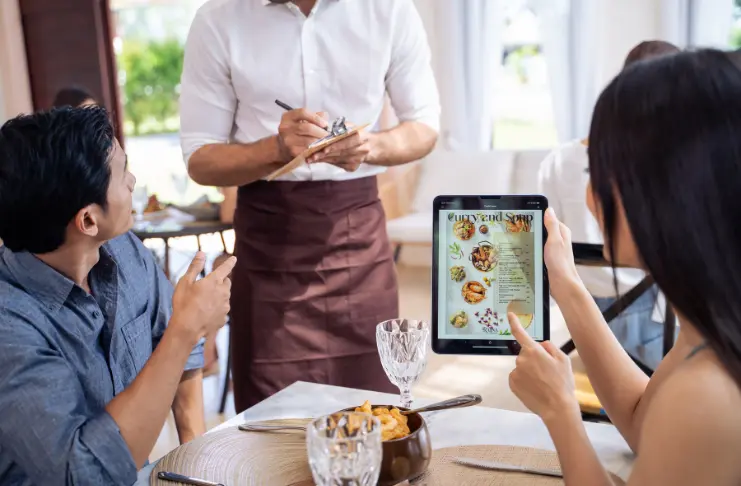
Mobility is the most visible advantage. Staff can carry an iPad to the table, take orders, and send them instantly to the kitchen, minimizing errors and saving valuable time.
Payments can also be processed tableside, speeding up the checkout process and freeing up tables sooner. In a high-volume setting, this improvement in service flow translates directly to higher revenue potential.
B. Lower Hardware Costs
Traditional POS setups often involve proprietary terminals and costly installations. By contrast, a restaurant iPad POS system reduces upfront investment since the hardware is widely available and easy to replace.
Combined with a subscription-based software model, this makes advanced POS capabilities accessible even to smaller operators like cafés or food trucks that don’t have the budget for enterprise-grade hardware.
C. Scalable Across All Restaurant Formats
From a single food truck to a multi-unit chain, iPad POS systems scale with business growth. Operators can start with one device and expand to multiple locations without complex infrastructure. Cloud-based syncing ensures that updates, menu changes, and reports are consistent across all units, reducing management overhead and improving standardization.
D. Ease of Use
In an industry known for high employee turnover, quick training is essential. iPad devices bring familiarity to staff operations, which means learning to navigate an iPad POS becomes easier and takes hours rather than days. This allows restaurants to onboard new employees faster and maintain consistent service quality without lengthy training cycles.
E. Access to Real-Time Analytics On the Go
Beyond operational efficiency, iPad POS systems give managers access to live sales, inventory, and performance reports. This visibility helps operators make faster, data-driven decisions, whether it’s adjusting menu items mid-shift, spotting sales trends, or managing labor more effectively.
Cloud connectivity ensures that this data is accessible anywhere, an advantage for multi-unit operators who need centralized oversight.
EXPERT OPINION
What are the Key Features to Look for in an iPad Restaurant POS?
When evaluating iPad POS systems, you should look for capabilities that address both front-of-house efficiency and back-of-house control.
1. Order and Table Management
Efficient order flow is critical in any restaurant. An iPad POS should allow staff to quickly assign tables, split checks, transfer orders between servers, and manage multiple courses with ease. For quick-service or fast-casual formats, order queue visibility helps reduce wait times and keep service running smoothly.
2. Menu Customization
Menus change frequently, whether due to seasonal items, supply fluctuations, or customer demand. A strong iPad POS enables real-time menu updates, item categorization, and support for modifiers (like extra toppings, substitutions, or cooking preferences). This flexibility ensures accuracy, reduces order errors, and creates a smoother experience for both staff and guests.
3. Integrated Payments (Contactless, EMV, Digital Wallets)
Payment processing has expanded beyond cash and cards. Modern systems should accept EMV chip cards, tap-to-pay, and digital wallets like Apple Pay and Google Pay. Built-in payment integration streamlines checkout, improves transaction security, and minimizes delays at peak service hours.
Tableside payments also enhance convenience, particularly in full-service settings where speed and security matter.
4. Inventory Management
For operators managing multiple menus or high-volume sales, inventory tracking is essential. An iPad POS with real-time inventory management can automatically update stock levels as items are sold, share low-stock alerts with managers, and even forecast demand.
This reduces waste, improves purchasing accuracy, and ensures popular items don’t run out mid-shift.
5. Offline Mode Functionality
Internet disruptions are inevitable, but service cannot stop because of a connectivity issue. A reliable iPad POS should offer offline functionality that allows staff to continue taking orders and processing payments, with automatic syncing once the connection is restored. This safeguards revenue and ensures continuity of service during downtime.

6. Reporting and Analytics
Data-driven insights are no longer optional. The best iPad POS systems provide detailed reporting on sales, labor, and customer behavior.
Operators can track best-selling items, analyze peak service times, and measure staff performance. For multi-unit operators, consolidated reporting enables benchmarking across locations to guide strategic decisions.
7. Integrations with Restaurant Systems
Restaurants often rely on multiple tools, such as CRM for guest data, loyalty programs for retention, delivery integrations for online orders, or reservation platforms for booking.
An iPad POS should seamlessly connect with these systems to avoid data silos and reduce manual work. Strong integration capabilities ensure that the POS acts as the central hub for all restaurant operations.
8. Multi-Location Support
For operators managing more than one restaurant, centralized control is crucial. Multi-location functionality allows managers to update menus, pricing, and promotions across all sites at once. It also enables consolidated reporting, helping leadership teams gain a holistic view of business performance without juggling separate systems.
9. Security and Compliance
Handling customer payments and sensitive data requires strict safeguards. An iPad POS must comply with PCI DSS standards and include features like end-to-end encryption and tokenization. Beyond payments, data access controls and user permissions protect against internal misuse, ensuring that only authorized staff can access critical functions.
How to Choose the Right iPad POS for Your Restaurant?
The iPad POS market is crowded with options, and while many systems promise similar features, not every solution will deliver the same results for your specific business model.
The right choice of iPad POS comes down to identifying what truly supports your daily operations, long-term growth, and guest expectations.
Here are five key factors to weigh before deciding-
- Operational Fit: Match the system’s strengths to your restaurant type. Quick-service setups may need fast checkout and high-volume handling, while full-service restaurants benefit from tableside ordering and menu customization.
- Ease of Use for Staff: A POS that’s simple to learn reduces training time, minimizes mistakes, and allows staff to focus more on service than on navigating technology.
- Scalability and Flexibility: Think about future needs. As you grow, your POS should adapt, whether that means handling more locations, supporting hybrid service models, or connecting with third-party platforms.
- Total Cost of Ownership: Beyond subscription fees, consider the bigger financial picture: hardware, payment processing, add-ons, and support. A well-balanced investment will save money over time.
- Support and Reliability: Restaurants can’t afford downtime. Ensure your provider offers consistent uptime, strong customer support, and tools that keep your system stable during peak service hours.
Conclusion
The best iPad POS systems for restaurants are shaping how they operate in real time. From streamlining service on busy nights to giving managers clarity on what’s working and what isn’t, they turn everyday activity into actionable insight.
Choosing the right system is important for creating a workflow that feels natural for staff while giving operators the control to run the business confidently.